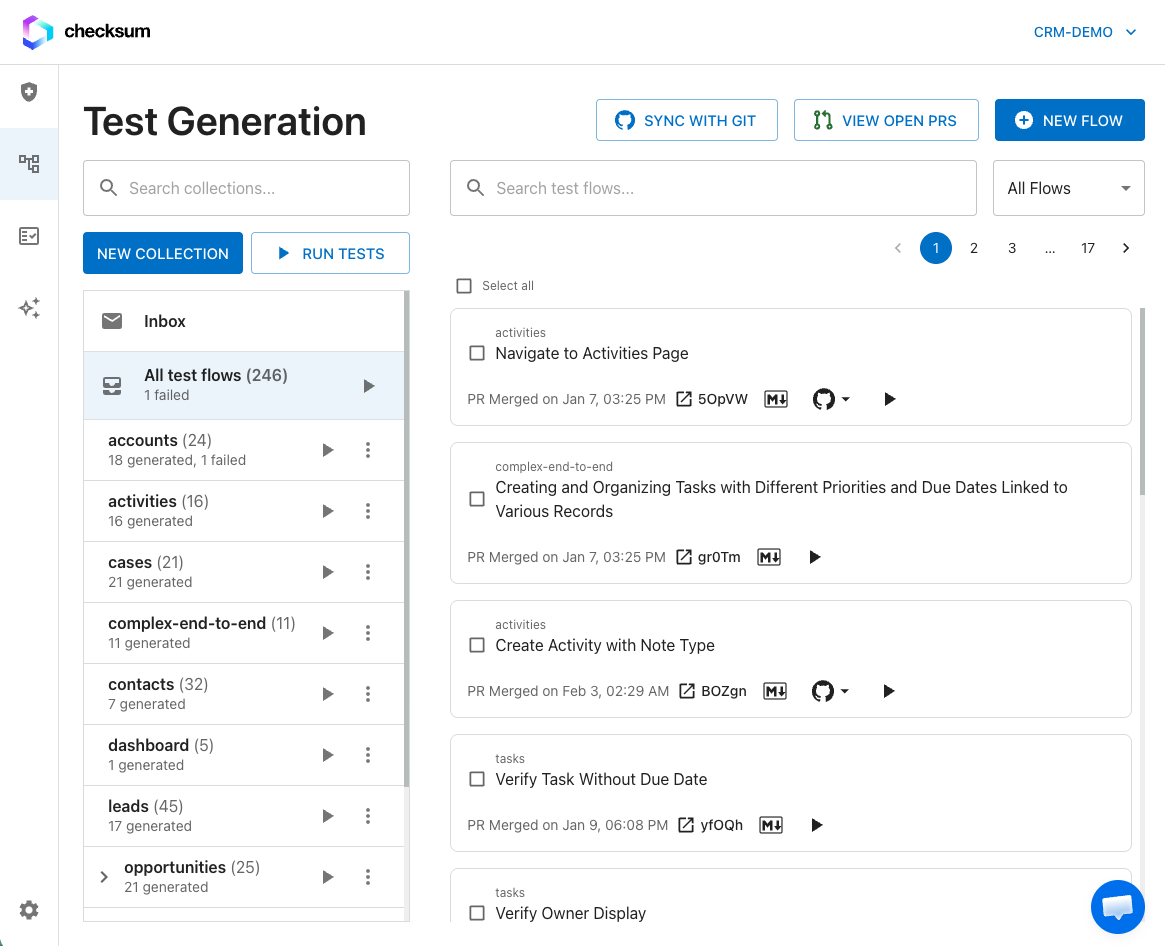
Powered by Checksum’s world model — built from real user behavior patterns — the agent achieves ~97% test accuracy. Tests include full data setup and cleanup, grounded selectors, and production-ready architecture. Unlike local coding agents, Checksum runs in the cloud 24/7, generating and verifying tests autonomously at scale.
For large-scale test generation, we recommend running
detection first to identify all important test flows, then generating tests from the detected flows. This gives you a chance to review and prioritize before generation begins. For quick, targeted test creation, you can skip detection and generate directly from a manually created flow.
Overview
When you trigger generation for a test flow, Checksum:
- Plans what to build (in Deep mode)
- Implements the test — writing both a story file (
.checksum.md) and a test file (.checksum.spec.ts)
- Reviews its own work for quality and correctness
- Verifies the tests pass by actually running them
- Opens a PR to your repository with the generated tests
The entire process is autonomous — you trigger it, and come back to a PR ready for review.
Triggering Generation
- Navigate to Test Generation in the sidebar
- Select a collection and find the test flow you want to generate
- Click Generate on the test flow
- Choose Standard or Deep mode (see Deep vs Standard)
- The agent session starts
You can also trigger generation for multiple flows at once within a collection.
Trigger from GitHub pull requests
If your code repository is connected via the GitHub App, you can start generation without opening the dashboard.
Slash command
Comment on a pull request:
Optional instructions on the same line are forwarded to the agent:
/checksum generate focus on the new SSO login flow and error states
- The Checksum GitHub App is installed on the repository
- The commenter has write access to the repo
- The PR is not from a bot account (Dependabot, Renovate, etc.)
Feedback: Checksum reacts with 👀 while starting, 🚀 on success, or 👎 if the command is rejected. Progress updates appear as a sticky comment on the PR (not as extra reply spam).
Auto-generate on PR open (optional)
Your project can enable automatic generation when a non-draft PR is opened (opt-in — ask Checksum support to enable it for your app). The agent runs against the PR diff the same way as /checksum generate, without a manual comment. Draft PRs and bot-opened PRs are skipped.
Public API
Trigger generation programmatically:
POST /public-api/v1/auto-generate
curl -X POST https://api.checksum.ai/public-api/v1/auto-generate \
  -H "Authorization: Bearer <YOUR_API_KEY>" \
  -H "Content-Type: application/json" \
  -d '{
    "prNumber": 42,
    "repoName": "acme-co/webapp",
    "branch": "feature/checkout",
    "metadata": { "source": "release-bot" }
  }'
GET /public-api/v1/auto-generate/batch/:batchId. See the API Reference.
Generation from a PR always diffs against the PR head branch — Checksum fetches the head ref from GitHub so feature-branch PRs target the correct code.
Generation Statuses
As the agent works, your test flow’s status updates:
| Status | Meaning |
|---|
| Idle | No generation in progress for this test flow |
| Queued | Generation is queued and will start shortly |
| Running | The AI agent is actively generating tests |
| Verifying | Tests are being verified (actually executed) |
| Completed | Tests are generated and PR is ready |
| Failed | Generation encountered an error |
| Aborted | Generation was cancelled |
| Edited | Generated tests were manually edited |
| PR Merged | You merged the generated tests PR |
| PR Closed | You closed the PR without merging |
What Gets Generated
For each test flow, Checksum generates:
- Story file (
.checksum.md) — A human-readable description of the test with steps, data setup, and verifications
- Test file (
.checksum.spec.ts) — Production-ready Playwright test code
See Story and Test Format for detailed format documentation.
Reviewing Generated Tests
When generation completes, Checksum opens a PR to your test repository. You can:
- Review the PR on GitHub/GitLab — read the test code, check the story file
- Run the tests locally — checkout the branch and run
npx checksumai test
- Request changes — if something needs adjusting, you can edit directly or re-trigger generation
- Merge — when you’re satisfied, merge the PR to add the tests to your suite
Next Steps