Your Repo Is the Source of Truth
The mirror works both ways — Checksum reads from your repo AND writes to it via PRs — but your repository is always the source of truth. You can edit tests directly, push new tests, or modify generated code, and Checksum picks up the changes automatically on the next sync. Think of Checksum’s agent as just another member of your team. It opens PRs like any other developer, and you review and merge them. You’re always in control.How It Works

Reading from Your Repo
Checksum continuously monitors your connected repositories:- Tracks branches and their current state
- Understands which tests already exist — so it doesn’t generate duplicates
- Detects changes — when your code changes, Checksum knows which tests might be affected
- Syncs automatically via webhooks from GitHub or GitLab whenever you push, merge, or update PRs
Configuration Mirror
Beyond code, Checksum also mirrors your project configuration — including environment variables, environment settings, and test credentials. When you configure environments in the Checksum web app (environment URLs, login URLs, user credentials), these settings are stored in the cloud and synced down to your test environment via the CLI:dotenv --download pulls the latest values.
Think of it this way: Checksum mirrors your code (tests ↔ repo) and your config (environment settings ↔ .env file). Both stay in sync automatically.
Writing to Your Repo
When Checksum generates new tests or heals broken ones, it delivers the changes as pull requests:- Each PR contains Playwright test code you can review like any other code change
- PRs include a clear description of what was generated or healed
- You review, request changes, or merge — just like any other PR workflow
- Checksum tracks whether PRs are open, merged, or closed
What Triggers a Sync?
Checksum stays in sync with your repository through webhooks:- Push events — when code is pushed to any branch
- PR events — when pull requests are opened, updated, merged, or closed
- Installation events — when the GitHub App permissions change
Example
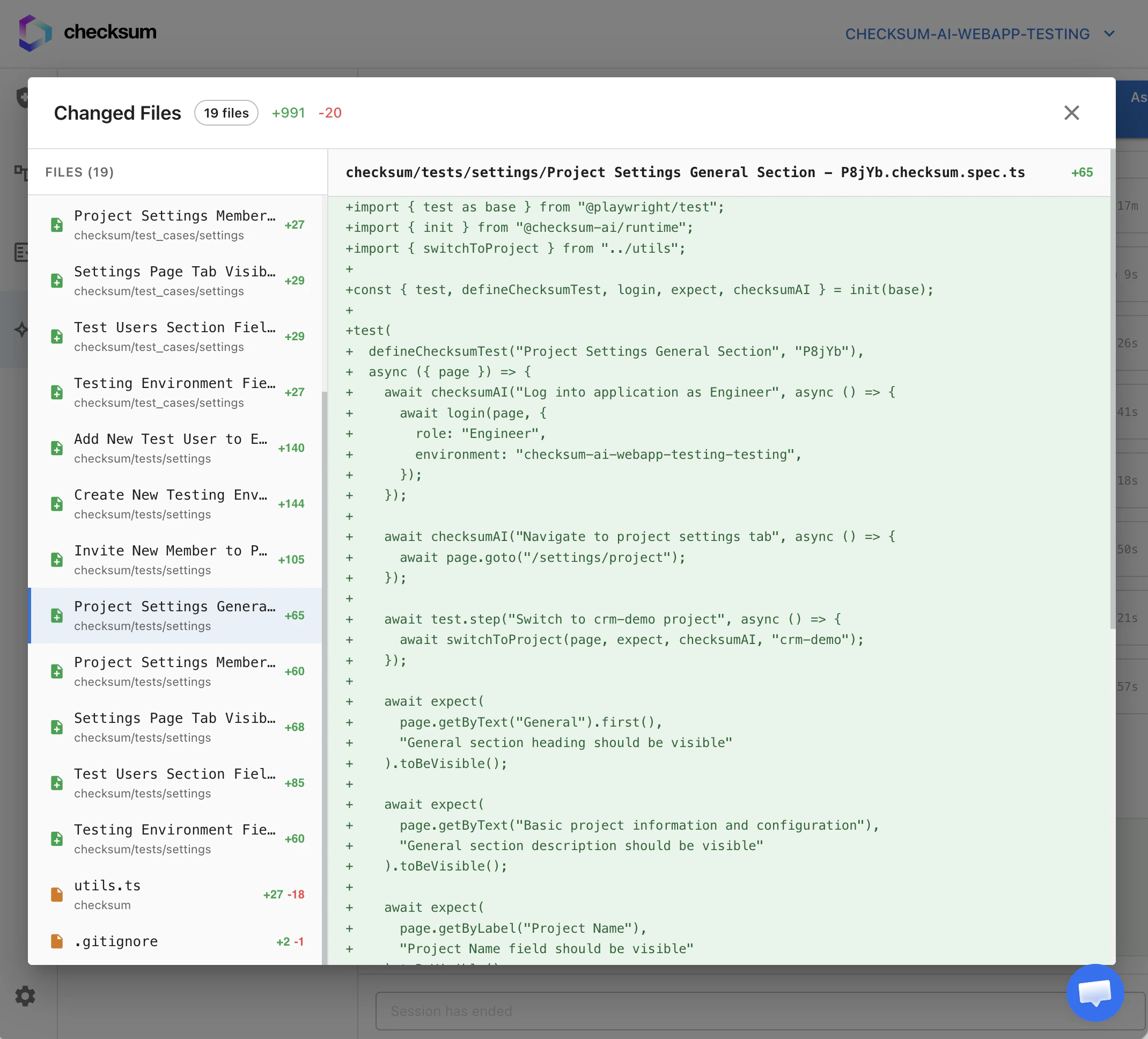
- Creates a new branch (e.g.,
ChecksumAI-generated-test-20260315143022) - Adds the generated
.checksum.mdstory file and.checksum.spec.tstest file - Opens a PR with a description of the test flow
- You review the code, run the tests, and merge when satisfied