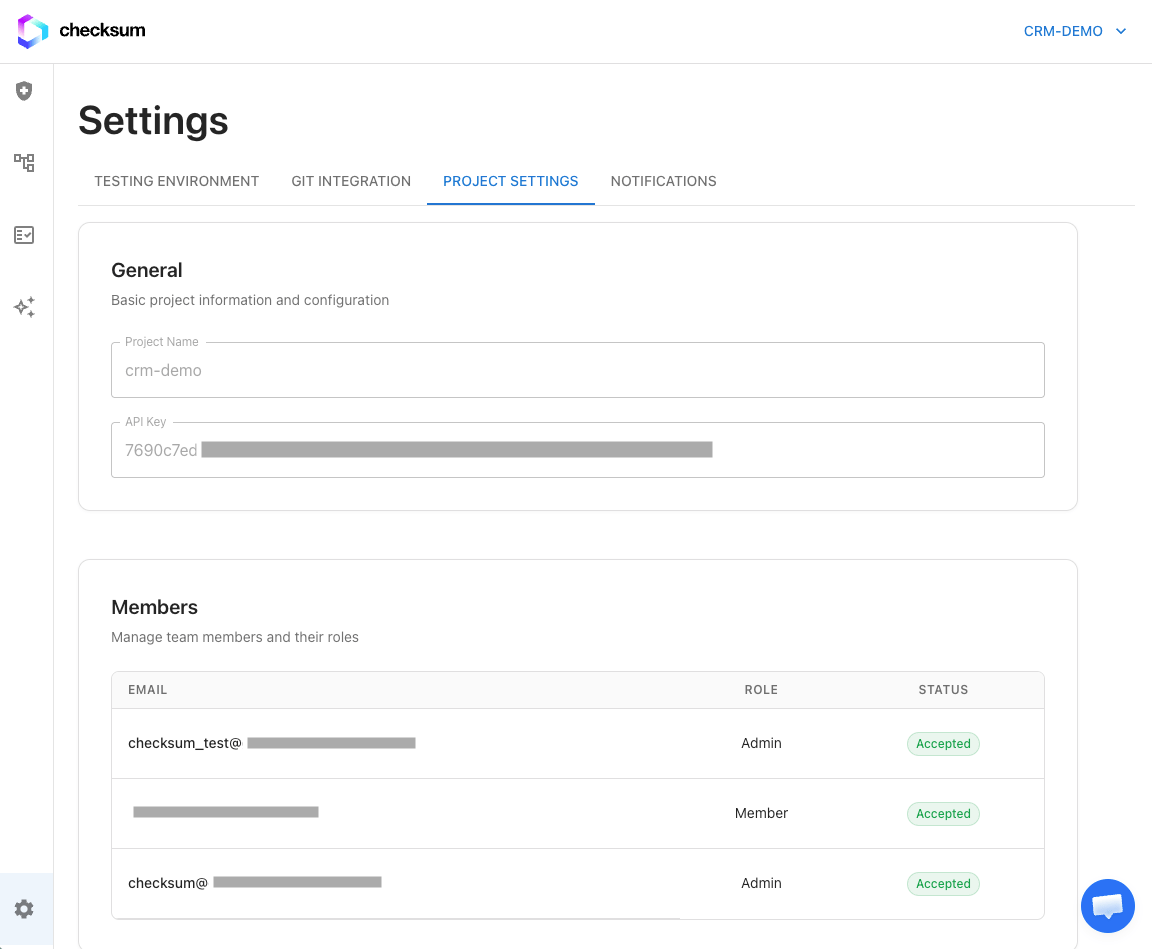
Step 1: Project Setup
Get your CLI API key — this is used to authenticate the Checksum CLI when running tests and downloading environment variables.
- Navigate to Settings → Project Settings
- Copy your API key
- Store it securely (you’ll use it in CI secrets and local development)
Your API key is unique to your project. Keep it secret — anyone with the key can run tests and access your project.
Step 2: Testing Environment
Configure where and how Checksum should test your application.
| Field | Description |
|---|
| Environment URL | The URL of your application under test (e.g., https://staging.myapp.com) |
| Login URL | The URL of your login page, if your app requires authentication |
Step 3: Install Git App
Connect your GitHub or GitLab account so Checksum can:
- Read your codebase to understand your application
- Write pull requests with generated or healed tests
See Git Integration for the full setup guide.
For best detection accuracy, also connect your
source code repository in addition to the tests repository. If your tests live alongside your source code, connect the same repo for both. See
Git Integration for details.
Step 4: Initialize Your Test Repository
Set up your test repository with the Checksum CLI. For a full guide, see Repo & CLI Setup.
Quick start — create a new repo for your tests:
mkdir my-checksum-tests && cd my-checksum-tests
npm init -y
npm install @checksum-ai/runtime playwright
npx checksumai init
checksum/ folder with configuration files, a Playwright config, and an example test. If you’re adding Checksum to an existing repo, see the detailed setup guide for best practices.
Verifying Your Setup
Once your repository is initialized and git integration is connected, verify everything works by running the example test:
# In your test repository
npm install
npx playwright install --with-deps
npx checksumai dotenv --download --api-key=<YOUR_API_KEY>
npx checksumai test -g "example"
Next Steps