Standard Mode
Standard mode is faster and more direct. The agent goes straight to implementation without an extended planning phase.
Pipeline stages:
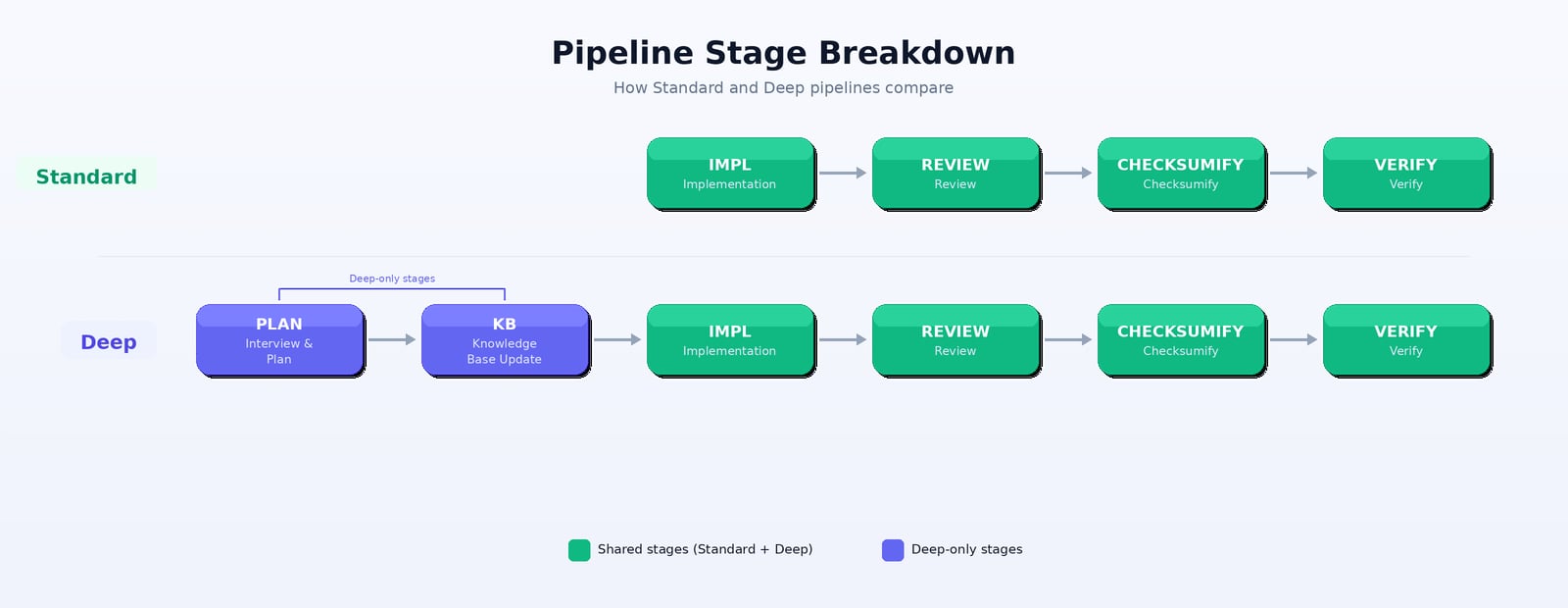
Implementation → Review → Checksumify → Verify
- Well-defined test flows with clear steps
- Straightforward applications
- When you want faster turnaround
- Iterating quickly on test coverage
Deep Mode
Deep mode includes planning, knowledge base analysis, and more thorough review. The agent first interviews you, builds understanding of your app, then implements with that deeper context.
Pipeline stages:
Interview/Plan → Knowledge Base Update → Implementation → Review → Checksumify → Verify
- Complex applications with nuanced workflows
- First-time test generation on a new app
- Flows that require deep understanding of business logic
- When quality and coverage matter more than speed
Pipeline Stage Breakdown
| Stage | Standard | Deep | What Happens |
|---|
| Interview/Plan | — | ✓ | Agent asks questions about your app, creates a detailed plan |
| Knowledge Base Update | — | ✓ | Agent builds understanding of your app’s architecture and patterns |
| Implementation | ✓ | ✓ | Agent writes the test story and Playwright code |
| Review | ✓ | ✓ | Agent reviews its own work for quality, correctness, and best practices |
| Checksumify | ✓ | ✓ | Agent validates tests against the Checksum CLI |
| Verify | ✓ | ✓ | Agent runs the tests to confirm they pass |
Healing uses a different pipeline. Standard healing runs Triage → Fix (see
Auto-Healing). The stages above apply to detection and generation.
All Pipeline Variants
The Deep vs Standard choice applies across all Checksum operations:
| Operation | Standard | Deep |
|---|
| Test Generation | Fast generation, direct implementation | Thorough planning + generation |
| Test Detection with source code | Quick code analysis | Deep code exploration with planning |
| Test Detection without source code | Direct app exploration | Extended exploration with planning |
| Auto-Healing | Triage + Fix | Root cause analysis + fix |
Default: Standard mode is the default. Choose Deep when you want more thorough results.
When to Switch
| Scenario | Recommended Mode |
|---|
| Generating tests for a simple CRUD app | Standard |
| First-time setup on a complex SaaS platform | Deep |
| Healing a few broken selectors | Standard |
| Healing tests after a major app refactor | Deep |
| Quick detection of obvious user flows | Standard |
| Comprehensive coverage of a feature area | Deep |